01 / The Casebook / Skincare · Mobile app
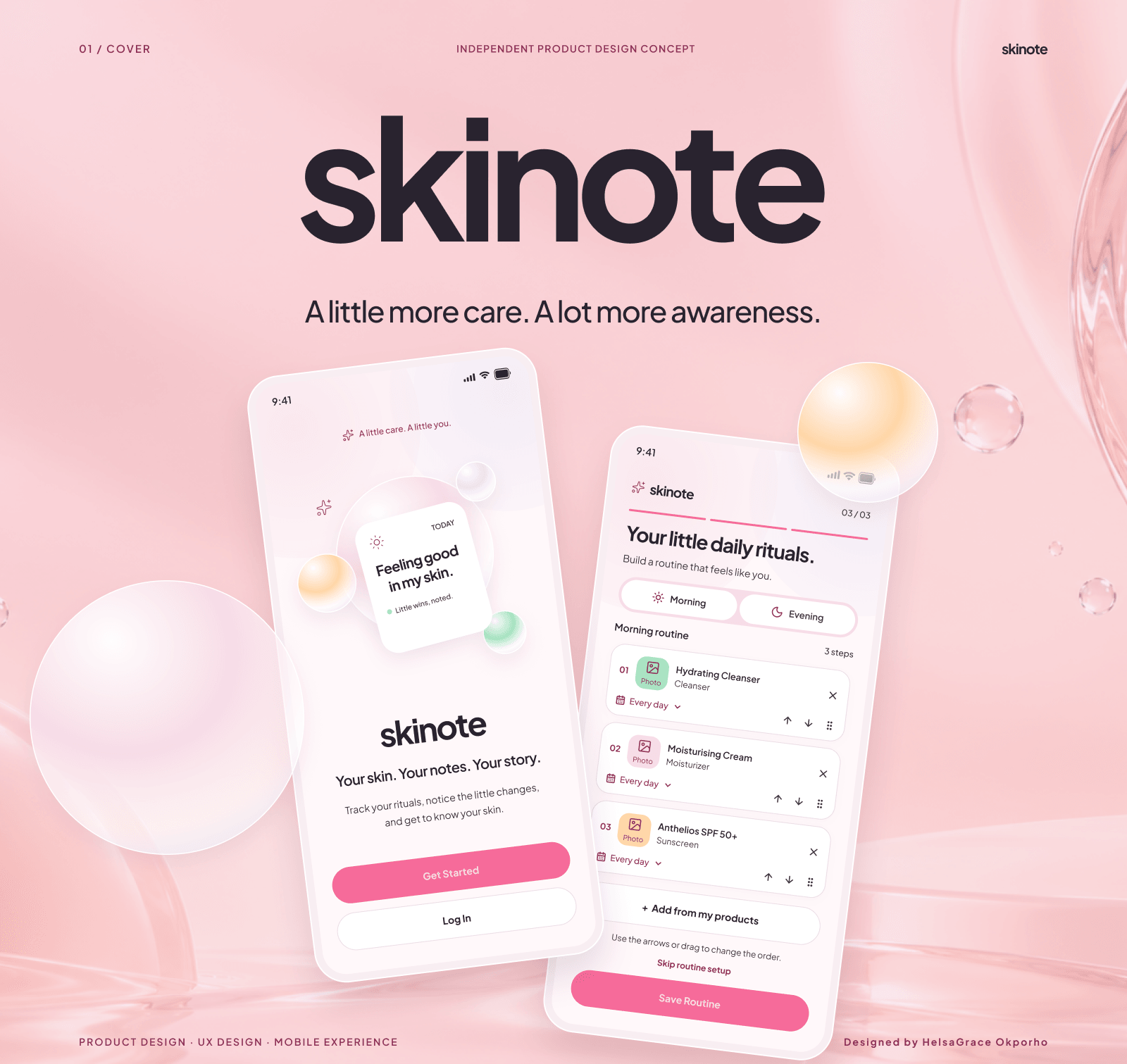
Skinote
Designing a calmer way to build, follow and remember a skincare routine.
A mobile skincare companion that connects product organisation, routine tracking and skin journalling — designed around real routines rather than perfect ones.
- Role
- Independent Product Designer
- Category
- Skincare · Mobile app
- Status
- Concept
- Year
- 2026
01 / Context
Skincare, with a little more awareness.
Skinote is an independent mobile product design concept for a skincare routine tracker and personal skin journal. It brings product organisation, routine building, daily tracking and skin observations into one calm experience.
The project began with a simple gap: a routine tells you what you planned to use, but not what you actually used or how your skin felt afterwards. Skinote connects those two records.
It is a designed concept, not a commercially launched product. The work covers 13 mobile screens and the product thinking behind them.
- Independent product design concept · 2026
- Solo — product thinking, UX architecture, UI design, design system and case study
- 13 mobile screens · onboarding, setup, daily tracking and reflection
- Designed concept — prototype and user validation are future work
02 / The problem
A routine is easy to plan. Harder to keep track of.
Maintaining a routine involves more than buying products and applying them. People carry multiple products, different morning and evening sequences and changing skin needs — often across several apps or in their heads.
When a step is skipped, the order changes or a product is added, a simple checklist loses what actually happened. When the skin reacts, the observation is remembered separately from the routine that preceded it.
The design problem was not to diagnose skin or prescribe a perfect routine. It was to make the real routine easier to see, record and learn from.
“Knowing what you planned to use is one thing. Remembering what you actually used is another.”
03 / Discovery
Four tensions behind the routine.
The concept was shaped around everyday behaviour and the gaps in existing routines, not a clinical model.
- 01
Inconsistent routines
Busy schedules and changing habits make a consistent routine difficult to maintain.
- 02
Forgotten products
With multiple products and steps, it is easy to forget what was used, when and in what order.
- 03
Tracking reactions
Skin changes are hard to remember over time without a reliable record.
- 04
Fragmented records
Routine tracking and skin journalling are related, but often managed separately.
04 / Product strategy
One place for your routine and your skin story.
Skinote combines two experiences that are usually separate: routine management and personal skin journalling. A routine records intention; a journal records experience. Together they give the user a more complete picture.
The product is structured around three questions: What did I plan to use? What did I actually use? How did my skin feel? Those questions shape the information architecture and the daily flow.
- Routine tracking — products, morning and evening routines, application order, completed, skipped and changed steps.
- Skin journalling — check-ins, observations, notes, photos and a chronological diary.
- Insights — routine consistency, product usage and recorded observations; descriptive, not diagnostic.
04 / Product strategy
Six stages, one continuous journey.
- 01
Account
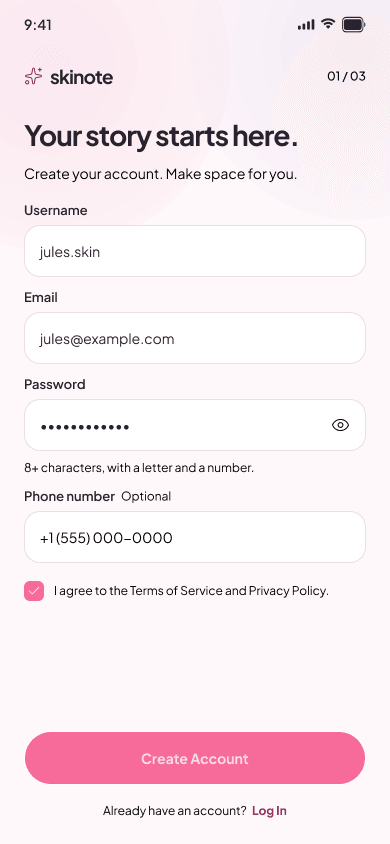
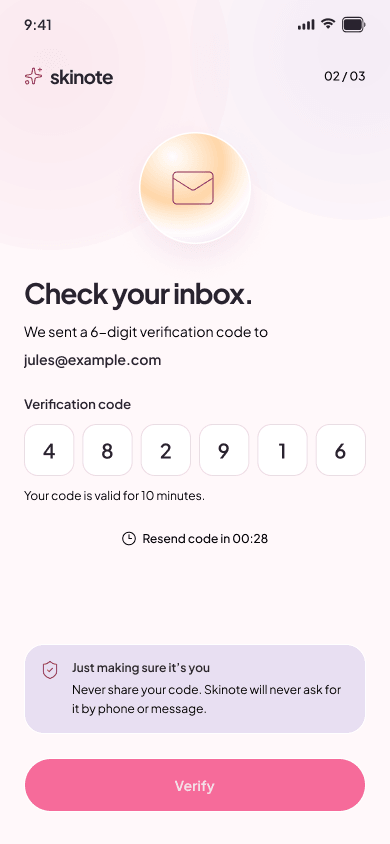
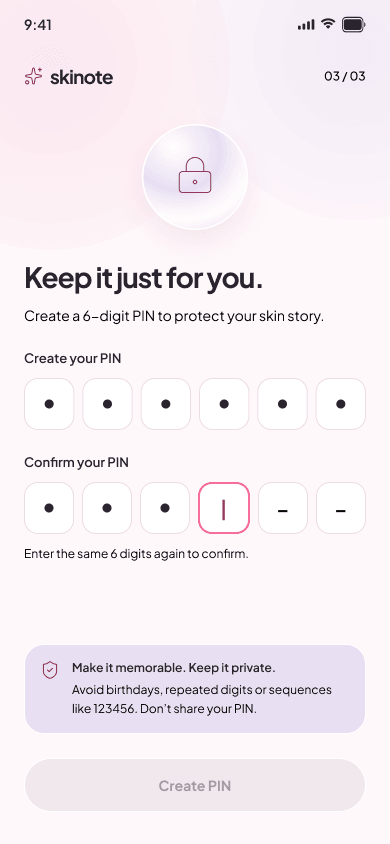
Create an account, verify the email and set a PIN.
- 02
Skin profile
Capture skin type, concerns and experience level.
- 03
Products
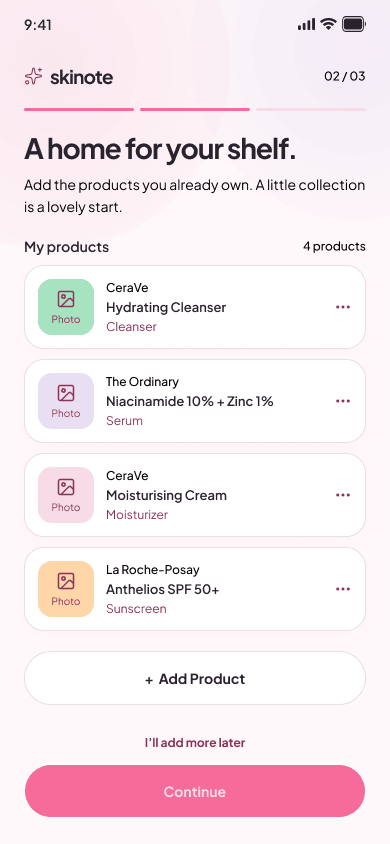
Build a personal collection of the products already in use.
- 04
Routine
Choose morning or evening, set order and frequency.
- 05
Check-in
Record observations independently of routine completion.
- 06
Diary & insights
Review activity, observations and recorded patterns over time.
05 / Visual system
A soft system that stays consistent.
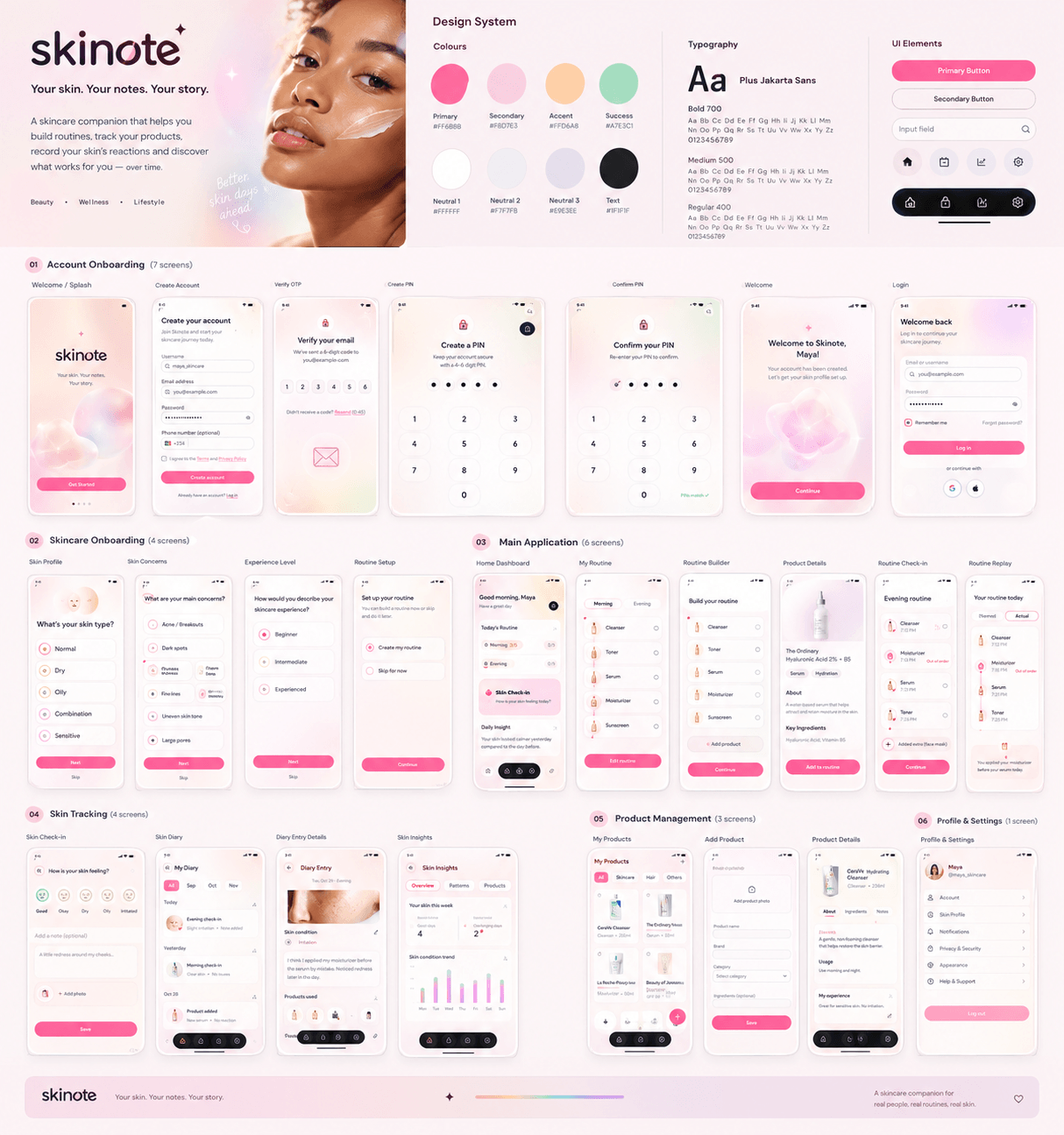
The Dew Studio direction combines a playful, approachable skincare aesthetic with a clear information hierarchy. Softness is carried by colour and surface; clarity is carried by type and structure.
Blush pink
#F8E8EE
Primary surface
Warm ivory
#FFF8F2
Page background
Soft blush
#F5C6D7
Secondary surface
Rose accent
#D95789
Primary action
Lavender
#E8DFF2
Quiet support
Peach
#FFD6A8
Warm accent
Dark text
#34232E
Primary reading
Typography
Plus Jakarta Sans
Plus Jakarta Sans
One family across headings, labels and interface copy, with weight and size carrying hierarchy.
Components
- Rounded surfacesCards, controls and sheets use soft corners and delicate shadows.
- Gentle contrastColour separates states without turning routine tracking into a clinical dashboard.
- Repeated patternsButtons, fields, selection states and the tab bar stay consistent across all 13 screens.
05 / Visual system
A system built to hold 13 screens.
The visual system was designed to stay coherent across onboarding, personal setup, daily tracking and reflection. The same surfaces, type scale, controls and spacing rules carry from the first account screen to the insights view.
The palette is deliberately soft but not vague: rose marks the primary action, blush and ivory carry the surface hierarchy, and lavender, peach and mint appear as quiet supporting accents.
06 / Onboarding
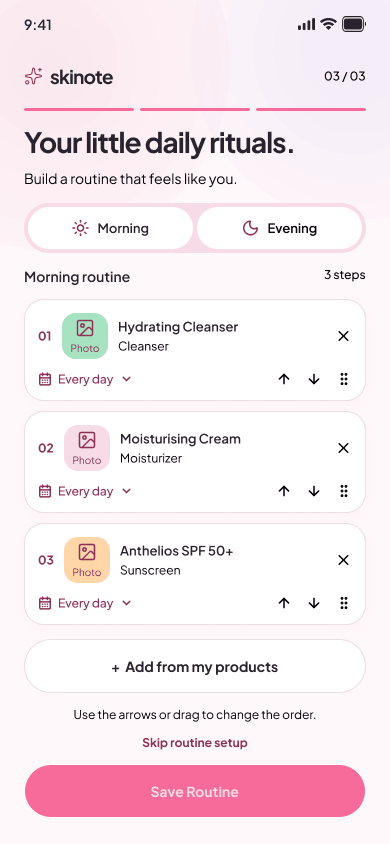
Getting to know your skin starts here.
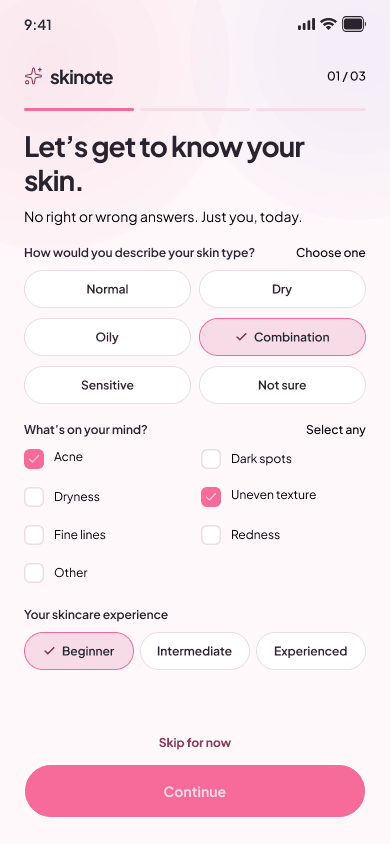
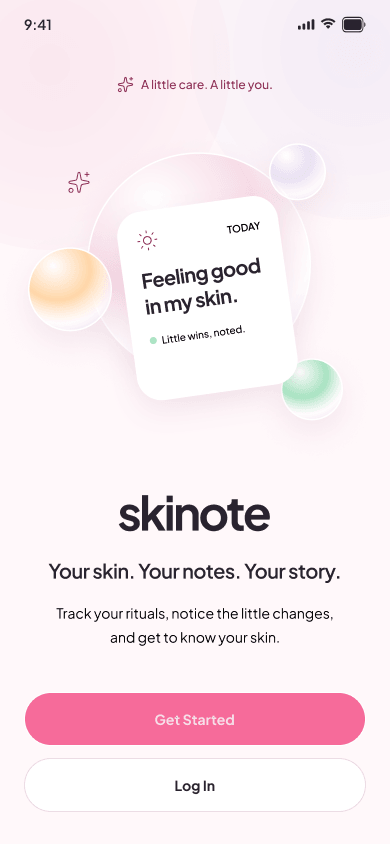
Onboarding establishes the account, verifies the email, creates a PIN and then moves into personal setup. The sequence is deliberately short: enough to make the experience personal without turning it into a form.
The skin profile captures skin type, concerns and experience level. The product collection gives routines something real to draw from. The routine builder lets the user choose morning or evening, select products, set frequency and reorder steps.
06 / Onboarding
From first account to first routine.
07 / Daily experience
From planned routine to real-life routine.
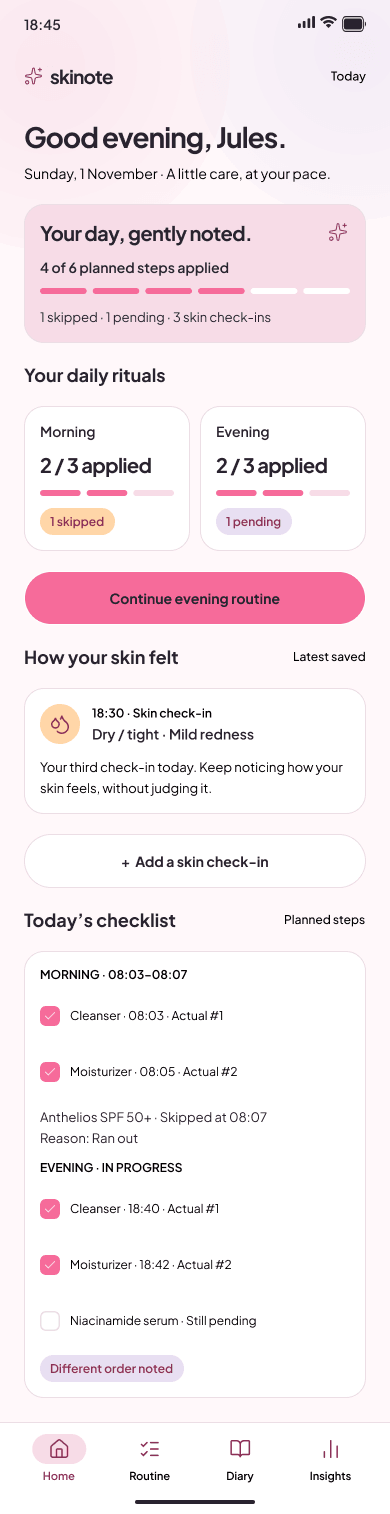
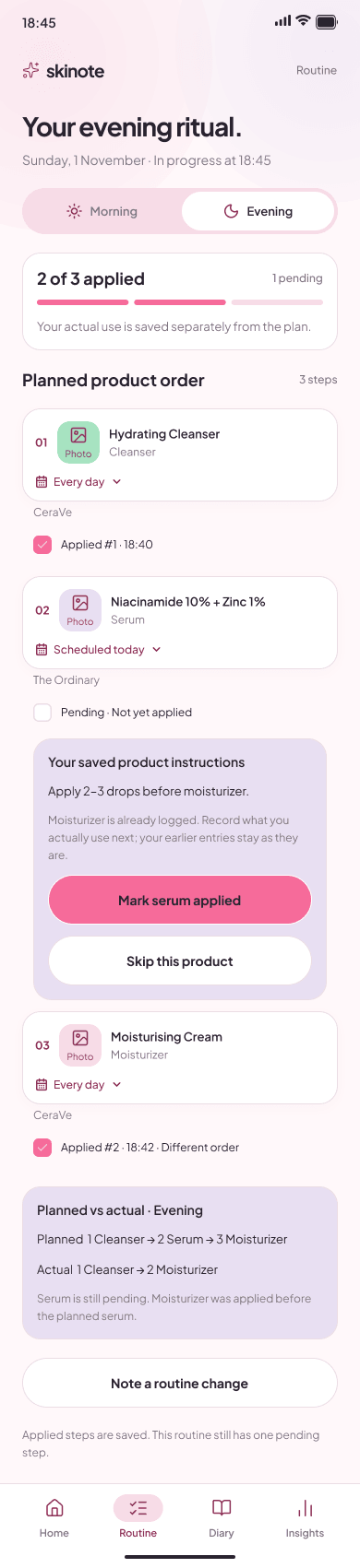
The daily experience starts with the home dashboard: what is planned, what is done, what is pending and how the skin felt. Routine execution follows the planned order, but it does not assume the plan is what happened.
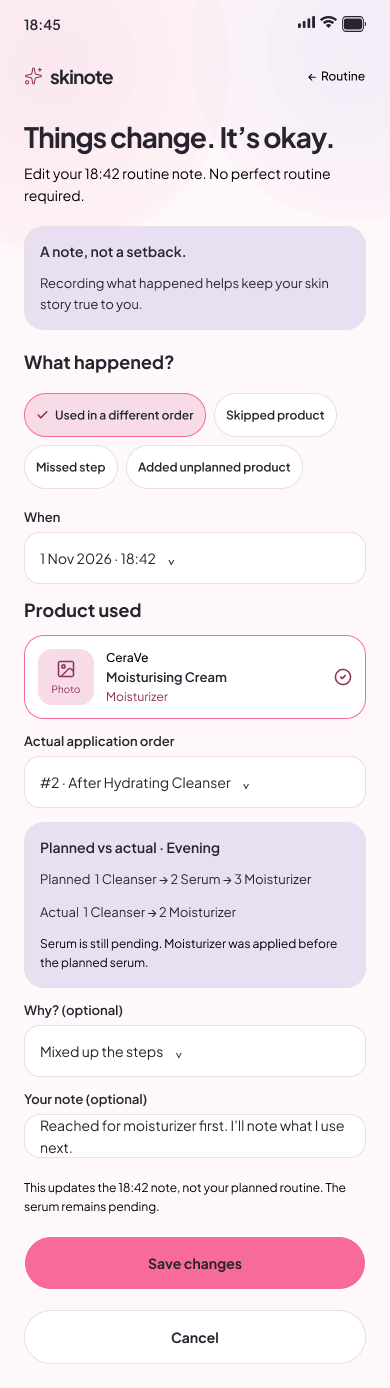
A step can be applied, skipped or reordered. A routine deviation records the difference without overwriting the original routine. The planned record and the actual record sit side by side.
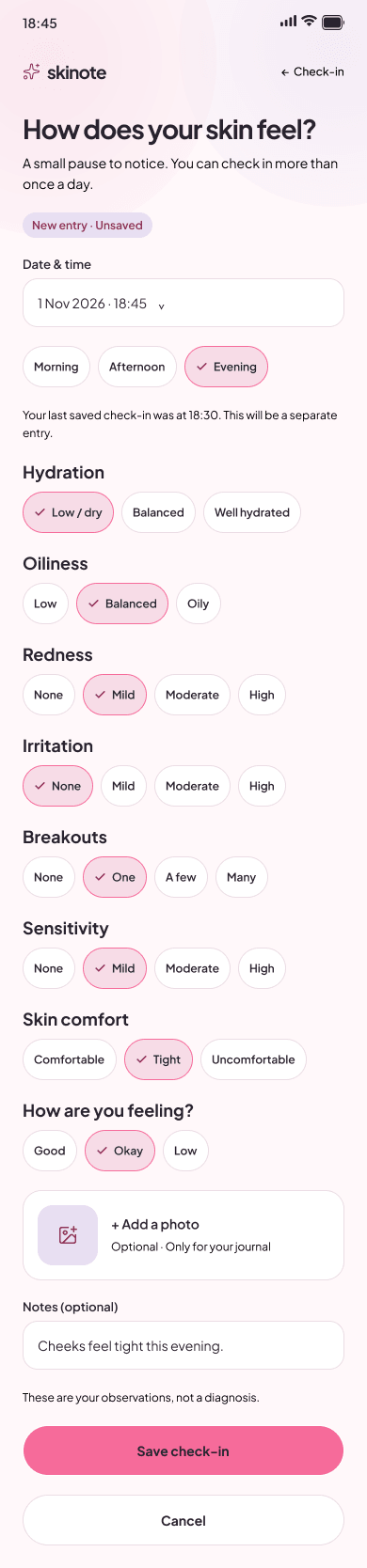
Skin check-ins are independent of routine completion, so an observation can be captured when it is noticed rather than when a routine ends.
07 / Daily experience
Planned, actual, and everything between.
08 / Skin diary & insights
Every day tells a little more of the story.
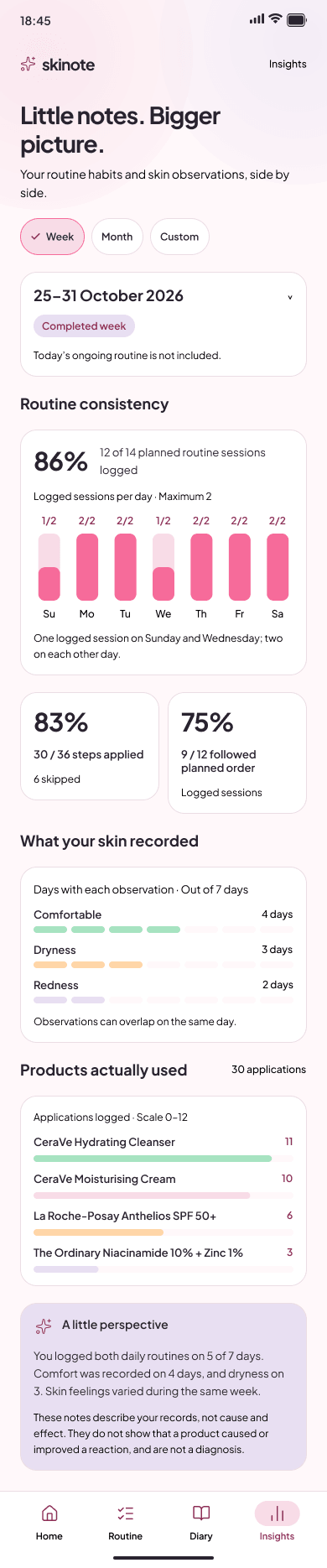
The skin diary is a chronological record of routine activity, check-ins, notes and deviations. Entries keep their timestamps and historical context, so the record stays understandable as products and routines change.
Insights summarise recorded routine consistency, product usage and skin observations. They are deliberately observational: a pattern in the record is not presented as a diagnosis or proof that a product caused a reaction.
08 / Skin diary & insights
A history that stays readable.

09 / Reflection
Designed for real routines, not perfect ones.
The strongest decision in Skinote was to design for the deviation. A routine tracker that only records completion is easy to design and easy to distrust. Preserving what actually happened makes the record more useful and more human.
The concept also taught me to separate observation from interpretation. Insights can show patterns without claiming causation, especially in a health-adjacent product.
Planned vs actual
The original routine is preserved; the actual activity is recorded alongside it.
Historical accuracy
Timestamps and context make the diary trustworthy over time.
Responsible insights
The product describes recorded patterns; it does not diagnose or claim causation.
Honest limits
The 13 screens are a designed concept; usability testing and a connected prototype are future work.
“The goal isn’t a perfect skincare routine. It’s a better understanding of your own.”
10 / What’s next
A little more care. A lot more awareness.
The next stage is to turn the screens into a connected prototype, then test whether the distinction between planned and actual activity is understood in use.
- Build a connected prototype with shared product, routine and diary data.
- Run discovery interviews with people who maintain different kinds of routines.
- Test onboarding, routine execution and deviation recording with users.
- Validate whether insights read as observations, not medical conclusions.
- Review accessibility, readability and interaction clarity.